
In today’s digital landscape, a well-structured help section serves as a cornerstone for successful online engagement. Businesses often overlook the power of clear communication, yet providing instant answers significantly boosts user trust and satisfaction. By reviewing effective website faq examples, companies can streamline their support processes while reducing the burden on their customer service teams.
Strategic content placement transforms a simple information page into a powerful conversion tool. When you provide direct answers, you guide visitors toward making informed decisions with confidence. Effective architecture not only improves your search engine rankings but also creates a seamless journey for every potential client.
If you need professional guidance to optimize your digital presence, our team is ready to assist. You can explore our website faq examples to see how we elevate user experience through clarity and design. For personalized support, please call us at 0431 367 724 or send an email to info@rh-designs.com.au to discuss your specific project needs.
Key Takeaways
- Strategic FAQ pages significantly enhance user experience and site navigation.
- Clear, concise answers help build long-term trust with your target audience.
- Optimized content architecture plays a vital role in improving search engine visibility.
- Direct contact channels like phone and email ensure customers feel supported.
- Professional design services can transform standard pages into high-converting assets.
The Strategic Importance of FAQ Pages for User Experience
A well-crafted FAQ page acts as the silent engine driving both customer satisfaction and operational efficiency. By anticipating the needs of your audience, you create a seamless journey that minimizes friction. This proactive approach transforms a simple information hub into a vital component of your overall digital strategy.
Reducing Customer Support Overhead
One of the most immediate benefits of a comprehensive FAQ section is the significant reduction in repetitive inquiries. When customers find answers to common questions instantly, your support team is freed from answering the same basic emails or phone calls. This allows your staff to focus on complex issues that truly require human intervention.
Efficiency is the hallmark of a modern business. By documenting solutions to recurring problems, you empower users to solve their own challenges. This self-service model not only saves time but also provides a faster resolution for the customer.
Building Brand Authority and Trust
Transparency is a key driver of consumer loyalty in today’s competitive market. When you openly address potential concerns or technical hurdles, you demonstrate deep industry expertise and a commitment to honesty. This level of openness fosters long-term trust with your target audience.
Providing clear, concise, and accurate information positions your brand as a reliable resource. Customers feel more confident when they know a company is willing to share knowledge rather than hide behind vague policies. Trust is built through consistency and clarity.
Improving Search Engine Visibility
FAQ pages are a goldmine for targeting long-tail keywords that users frequently type into search engines. Because these pages naturally mirror the language of your customers, they are highly effective at capturing organic search traffic. This helps your website rank for specific questions that potential clients are actively asking.
By structuring your content to answer these queries directly, you increase the likelihood of appearing in search snippets. This visibility drives qualified traffic to your site, ensuring that users find the right answers exactly when they need them. A well-optimized FAQ page is therefore a powerful tool for both user experience and search engine performance.
Analyzing Effective Website FAQ Examples Across Industries
By analyzing top-tier website faq examples, we can uncover the secrets to building a truly helpful support hub. Every industry faces unique hurdles, and observing how leaders handle these challenges provides a clear roadmap for your own digital strategy.
“The best support pages do not just answer questions; they anticipate the user’s next move before they even ask.”
E-commerce FAQ Layouts
Successful online retailers prioritize clarity regarding the post-purchase experience. These website faq examples often feature dedicated sections for shipping updates, return policies, and order tracking.
By placing these critical details front and center, brands drastically reduce the volume of repetitive emails sent to their support teams. A clean, visual layout helps shoppers find answers without needing to contact a representative.
SaaS and Software Support Pages
Software companies operate in a more technical space, requiring a different approach to information architecture. Effective website faq examples in the SaaS sector focus heavily on integration guides, troubleshooting steps, and API documentation.
These pages often include searchable knowledge bases that allow users to solve complex technical issues independently. Empowering the user through detailed, step-by-step tutorials is a hallmark of high-performing software support.
Service-Based Business FAQ Structures
For service-based businesses, the goal is to manage client expectations from the very first interaction. These website faq examples highlight the scope of services, project timelines, and typical billing cycles.
Providing this information upfront helps filter out unqualified leads while building trust with potential clients. When a business is transparent about its processes, it demonstrates professionalism and reliability, which are essential for long-term success.
Structuring Your FAQ Page for Maximum Readability
Effective information architecture transforms a cluttered list of questions into a powerful self-service tool. When visitors land on your support page, they often feel overwhelmed by long blocks of text. Prioritizing a clean, logical layout ensures that users can locate the information they need without unnecessary friction.
“Design is not just what it looks like and feels like. Design is how it works.”
Using Accordion Menus for Clean Design
Accordion menus are a highly effective solution for managing large volumes of content. By hiding the answer text until a user clicks on a specific question, you prevent information overload and keep the page visually tidy.
This approach allows users to scan through a list of topics quickly. Once they identify a relevant heading, they can expand it to reveal the details. This interactive design pattern keeps the interface minimalist while maintaining full accessibility to your knowledge base.
Categorizing Questions by User Intent
Grouping questions based on user intent helps visitors navigate your content with ease. Instead of a single, endless list, consider organizing your FAQ into distinct categories such as billing, technical support, or account management.
This logical structure guides the user toward the right solution based on their specific needs. When you categorize content effectively, you reduce the time spent searching and increase the likelihood of a successful self-service experience. Intuitive navigation is the hallmark of a professional support page.
The Role of Search Bars in FAQ Navigation
Even with a perfect category structure, some users prefer to type their specific query directly. Integrating a prominent search bar at the top of your FAQ page is essential for modern usability.
A search function allows users to bypass navigation menus entirely and find exact answers in seconds. By tracking the terms entered into this bar, you can also gain valuable insights into what your customers are struggling with most. This data helps you refine your content over time to better serve your audience.
Integrating Website Lead Capture Forms Within FAQ Content
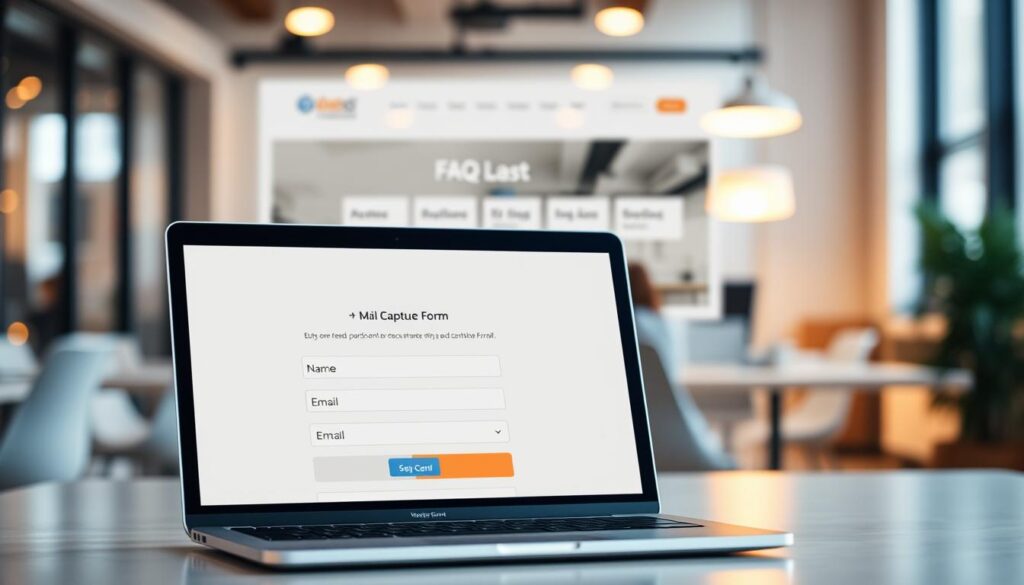
Integrating lead capture forms into your support content can bridge the gap between curiosity and commitment. While many businesses view help pages solely as a resource for existing customers, these pages often attract potential clients seeking solutions. By strategically embedding website lead capture forms, you can turn these information-seekers into valuable prospects.
Placing Forms at the Point of Decision
The most effective time to ask for contact details is when a user feels satisfied with the answer provided. When a visitor finds a solution to their problem, their trust in your brand increases significantly. This is the ideal moment to offer a deeper connection, such as a consultation or a whitepaper download.
Placing lead generation forms directly beneath relevant answers ensures that the offer feels like a natural next step. Avoid forcing these forms at the top of the page, as this disrupts the user experience. Instead, prioritize the helpful content first to build rapport before requesting information.
Contextual Lead Generation Forms
Context is everything when it comes to converting traffic. A generic “Contact Us” form often fails because it lacks relevance to the specific question the user just read. By tailoring your forms to the topic, you increase the likelihood of engagement.
“The best conversion strategies are those that feel like a helpful extension of the content rather than an interruption of the user’s journey.”
For instance, if a user is reading about your pricing tiers, a form offering a custom quote is highly relevant. This contextual approach ensures that your website lead capture forms align perfectly with the user’s current intent.
Balancing Information with Call-to-Action Prompts
Maintaining a professional balance between providing answers and driving conversions is essential. If your page feels too much like a sales pitch, you risk losing the trust you worked hard to build. Use subtle prompts that invite the user to take action without being overly aggressive.
| Strategy | Placement | User Intent |
|---|---|---|
| Direct Inquiry | Bottom of FAQ | High |
| Resource Download | Mid-page | Medium |
| Newsletter Signup | Sidebar | Low |
Effective lead generation forms should always prioritize the user’s need for information. By keeping the design clean and the copy helpful, you create a seamless experience that encourages users to reach out when they are ready to move forward.
Optimizing Lead Generation Forms for Higher Conversion Rates
Optimizing website lead capture forms is a critical step in turning casual visitors into loyal customers. When your forms are designed with the user in mind, you remove barriers that prevent potential clients from reaching out. If you find that your website is not getting leads, the structure of your input fields is often the first place to investigate.
Reducing Friction in Form Fields
The most effective lead generation forms are those that respect the user’s time. Every extra field you add creates a psychological hurdle that can cause a visitor to abandon the process. By limiting your requirements to only the most essential information, such as a name and email address, you significantly increase the likelihood of completion.
Simplifying your layout is not just about aesthetics; it is a functional necessity. When users see a short, clean form, they feel less overwhelmed. This reduction in friction is a proven strategy to boost engagement across all service-based industries.
The Impact of Micro-Copy on Conversions
Micro-copy refers to the small snippets of text found near your form fields, such as labels, placeholder text, and button labels. These tiny details have a massive influence on form conversion rates. Instead of using generic labels like “Submit,” try using action-oriented phrases that clearly state the benefit of clicking.
For example, changing a button text to “Get My Free Quote” or “Send My Guide” creates a sense of value. This persuasive language guides the user through the process and reduces anxiety about what happens after they click. Clear, encouraging copy turns a boring task into a helpful interaction.
Testing Form Placement for Better Results
Even the best-designed forms will fail if they are hidden in the wrong location. You should experiment with different placements to see where your audience is most likely to engage. Placing forms at the point of decision—such as after a compelling testimonial or a service description—often yields the best results.
A/B testing is the gold standard for refining your approach. By testing two versions of a page with different form placements, you can rely on data rather than guesswork. The following table outlines how different strategies impact your overall success.
| Strategy | Primary Benefit | Impact on Conversion |
|---|---|---|
| Minimalist Fields | Reduces user fatigue | High |
| Action-Oriented Micro-copy | Increases click-through | Medium-High |
| Strategic Placement | Captures intent | High |
| Multi-Step Layouts | Manages complexity | Medium |
Best Practices for Online Lead Forms and User Trust
Establishing a foundation of trust is essential when you implement online lead forms on your website. Users are increasingly cautious about where they share their personal information in the digital landscape. By prioritizing security and clarity, you can turn a simple data entry point into a powerful tool for building long-term relationships.
Ensuring Data Privacy and Security
The technical integrity of your site is the first line of defense for your visitors. You must ensure that all online lead forms are protected by robust encryption protocols, such as SSL certificates. This simple step encrypts the data transmitted between the user and your server, preventing unauthorized access.
Security is not just a technical requirement; it is a promise to your customers. Regularly updating your plugins and security software helps maintain a safe environment. When users feel their information is handled with care, they are far more likely to complete your forms.
Transparency in Data Collection
Honesty remains the best policy when gathering user details. Clearly explain why you need specific information and how you intend to use it. Providing a link to your privacy policy directly beneath your online lead forms creates an immediate sense of accountability.
Avoid asking for unnecessary data that might raise red flags. If you only need an email address, do not request a phone number or physical address. Minimizing data collection demonstrates respect for user privacy and reduces friction during the submission process.
Building Credibility Through Professional Design
The visual presentation of your forms significantly influences user perception. A cluttered or broken layout can make visitors doubt the legitimacy of your business. Use clean, professional design elements that align with your brand identity to foster a sense of immediate credibility.
Consistent typography, high-quality spacing, and clear call-to-action buttons help guide the user through the process. When your online lead forms look polished and intentional, users perceive your entire organization as more reliable and trustworthy. Investing in high-quality design is an investment in your conversion rates.
Advanced Form Optimization Techniques for Service Businesses
When your service offerings are complex, standard contact forms often fail to provide the depth needed for accurate quoting. Businesses in sectors like consulting, legal services, or specialized trades require more than just a name and email address to qualify a lead. Implementing effective form optimization strategies ensures you capture the right data without scaring away potential clients.
Multi-Step Forms for Complex Inquiries
Long, single-page forms often overwhelm users, leading to high abandonment rates. By breaking your online lead forms into smaller, logical steps, you reduce the perceived effort required to complete the process. This technique allows users to focus on one set of questions at a time, which significantly improves completion rates.
Progress bars are essential here, as they provide visual feedback on how much of the process remains. This simple addition keeps users motivated and reduces anxiety during the data entry phase.
Conditional Logic for Personalized User Journeys
Conditional logic allows you to create dynamic forms that adapt based on previous user inputs. Instead of showing every possible question, the form only displays fields relevant to the specific needs of the prospect. This creates a personalized user journey that feels tailored and professional.
For example, if a user selects “Residential Plumbing” as their service category, the form can automatically reveal specific questions about the type of property. This level of precision ensures that your team receives high-quality, actionable data every time.
Automating Responses After Form Submission
Speed is critical when managing service inquiries. Automating your response immediately after a user submits their details ensures they feel acknowledged while your team reviews the request. A well-crafted automated email can set expectations regarding response times and provide helpful resources.
| Form Feature | Benefit for Business | User Experience Impact |
|---|---|---|
| Multi-Step Layout | Higher conversion rates | Reduced cognitive load |
| Conditional Logic | Better lead qualification | Relevant, shorter forms |
| Automated Follow-up | Improved brand trust | Instant confirmation |
By integrating these advanced techniques, you transform your website into a powerful engine for growth. Consistent form optimization not only captures more leads but also ensures those leads are ready for your sales team to convert.
Balancing Website Form Design with Minimalist Aesthetics
Striking the right chord between simplicity and utility is essential for high-converting forms. A professional website form design does not just look good; it functions seamlessly to guide users toward their goals. By embracing minimalism, you can reduce cognitive load and encourage more completions.

Choosing the Right Color Palettes
Selecting the right colors is about more than just aesthetics; it is a vital part of brand identity. Your palette should reflect your business values while ensuring that input fields remain distinct from the background. High contrast is necessary to maintain accessibility standards for all users.
- Use a primary brand color for your call-to-action buttons.
- Ensure text colors provide enough contrast against input backgrounds.
- Avoid overly bright or distracting colors that pull focus away from the form fields.
Whitespace and Visual Hierarchy
Whitespace is a powerful tool in form optimization. It acts as a visual buffer that prevents the user from feeling overwhelmed by too much information at once. By using generous margins, you create a clear path for the user’s eye to follow.
A strong visual hierarchy ensures that the most important fields are noticed first. You can achieve this by grouping related questions together and using clear, bold labels. This logical flow makes the process feel intuitive and effortless for the visitor.
Mobile-Responsive Form Considerations
In today’s multi-device landscape, your forms must perform perfectly on smartphones and tablets. A mobile-responsive website form design adapts to smaller screens by stacking fields vertically and increasing touch target sizes. This prevents frustration and ensures that users can complete their inquiries on the go.
Prioritizing mobile usability is a key component of effective form optimization. When forms are easy to interact with on a phone, you remove barriers to entry and improve your overall conversion rates significantly.
Leveraging Lead Capture Best Practices to Reduce Bounce Rates
Keeping visitors engaged on your FAQ page requires a delicate balance between helpful content and strategic data collection. When users feel overwhelmed by immediate requests for information, they are more likely to abandon the page. Implementing lead capture best practices ensures that your interaction remains helpful rather than intrusive.
Exit-Intent Strategies for FAQ Pages
Exit-intent technology monitors mouse movements to detect when a user is about to navigate away from your site. By triggering a subtle, non-intrusive form at this exact moment, you can offer a final piece of value, such as a downloadable guide or a newsletter subscription. This approach helps maintain form conversion rates without disrupting the user experience during their initial search for answers.
Providing Value Before Asking for Details
Users are far more willing to share their contact information once they have received the assistance they need. You should prioritize solving their problems first, establishing trust before presenting a sign-up prompt. Following lead generation best practices allows you to turn a simple support interaction into a meaningful business opportunity.
Tracking User Behavior to Refine Forms
Continuous improvement is essential for any successful website form design. By utilizing analytics tools, you can identify exactly where users drop off and adjust your fields accordingly. Testing different layouts and copy variations will help you optimize your website form design to better align with user expectations.
| Strategy | Primary Benefit | Impact on Bounce Rate |
|---|---|---|
| Exit-Intent Forms | Captures departing traffic | Significant Reduction |
| Value-First Prompts | Builds user trust | Moderate Reduction |
| Behavioral Analytics | Refines form conversion rates | Long-term Improvement |
Technical Implementation and SEO Benefits of FAQ Pages
Achieving top search visibility requires more than just answering questions; it demands precise technical execution. By focusing on the backend structure of your content, you ensure that search engines can easily index and display your information. This approach aligns perfectly with lead capture best practices, as it drives qualified traffic directly to your most helpful resources.
Utilizing Schema Markup for Rich Snippets
Implementing FAQ Schema markup is a game-changer for your search engine presence. This structured data tells Google exactly which parts of your page are questions and answers. When successful, your content appears as a rich snippet, occupying more screen space and significantly boosting your click-through rates.
Internal Linking Strategies for Better Crawling
A well-structured FAQ page acts as a hub for your entire website. By using smart internal linking, you guide search engine crawlers to other relevant service pages or blog posts. This strategy is essential when you want to learn why your website gets traffic but no. Linking effectively ensures that users stay engaged while moving through your sales funnel.
Monitoring Performance Metrics and Analytics
You must track how users interact with your FAQ section to maintain its effectiveness. Regularly reviewing bounce rates and time-on-page metrics allows you to refine your content strategy. Applying lead capture best practices involves constant testing to see which questions drive the most conversions. Use the following table to understand the key technical components that impact your site performance.
| Technical Element | Primary Benefit | Impact Level |
|---|---|---|
| FAQ Schema Markup | Rich Snippet Visibility | High |
| Internal Linking | Improved Crawl Depth | Medium |
| Performance Analytics | Data-Driven Optimization | High |
| Mobile Responsiveness | User Experience | Critical |
Consistency is key when managing these technical elements. By monitoring these metrics, you ensure your FAQ page remains a valuable asset for both your users and your business growth. Always prioritize lead capture best practices to turn informational traffic into tangible business results.
Conclusion
A well-optimized FAQ page serves as a vital bridge between customer curiosity and business growth. By refining your content and streamlining user interactions, you turn simple information hubs into powerful tools for conversion.
Strategic design choices ensure that your audience finds answers quickly while feeling confident in your brand. This clarity builds lasting trust and encourages visitors to take the next step in their journey with your company.
You have the power to reshape how clients engage with your digital presence. Small adjustments to layout, navigation, and lead capture forms create a significant impact on your bottom line.
Our team at RH Designs specializes in crafting high-performing web experiences tailored to your unique business goals. We help you implement these strategies to maximize your site performance and drive meaningful results.
Reach out to us at 0431 367 724 to start a conversation about your specific project requirements. You can also send an email to info@rh-designs.com.au to request a consultation. Let us work together to elevate your online strategy today.
FAQ
Why is a professionally structured FAQ page critical for my digital marketing strategy?
A well-structured FAQ page serves as a dual-purpose tool that addresses customer queries immediately while streamlining your sales funnel. By integrating direct contact channels, such as calling 0431 367 724 or emailing info@rh-designs.com.au, businesses can transition users from the research phase to active engagement. RH Designs emphasizes that these pages improve user experience and boost search engine rankings by providing clear, authoritative content.
How do FAQ pages help reduce customer support overhead and build brand authority?
By providing concise answers to repetitive questions, FAQ pages act as a self-service hub, significantly lowering the volume of support tickets. When a brand like Salesforce or HubSpot provides transparent, helpful information, it builds long-term trust. Furthermore, targeting long-tail keywords within these answers improves search engine visibility, positioning your brand as an industry leader.
Can you provide website FAQ examples tailored to specific industries?
Different industries require unique support structures. For instance, e-commerce giants like Amazon prioritize shipping and return policies to ease buyer friction. In contrast, SaaS providers like Slack focus on technical troubleshooting and integration guides. Service-based businesses benefit from detailing project timelines and service scopes, which helps manage client expectations from the outset.
What design elements ensure an FAQ page remains readable and user-friendly?
To prevent information overload, form optimization and clean design are essential. Utilizing accordion menus allows users to expand only the content they need, while a prominent search bar facilitates rapid navigation. Categorizing questions by user intent ensures that visitors find relevant answers quickly, maintaining a seamless flow through the site architecture.
How can I effectively integrate website lead capture forms within my FAQ content?
The strategic placement of website lead capture forms at the “point of decision” is key to higher engagement. By using contextual lead generation forms near high-intent answers, you can capture interest when a visitor is most engaged. The goal is to balance helpful information with subtle call-to-action prompts, ensuring the experience remains informative rather than aggressive.
What steps should I take to improve my form conversion rates?
Improving form conversion rates requires reducing friction in form fields. This involves limiting the number of required inputs to only the essentials. Additionally, optimizing micro-copy—the small snippets of text like button labels—and conducting A/B testing on different form placements can lead to significantly better results for your business.
How do online lead forms impact user trust and data security?
Trust is the foundation of any digital interaction. When implementing online lead forms, it is vital to ensure robust data privacy and security measures are in place. Transparency regarding data collection and a professional website form design build immediate credibility, making users feel safe when sharing their personal information.
What are the benefits of advanced form optimization techniques for service businesses?
For complex inquiries, standard forms often fall short. Advanced form optimization techniques, such as multi-step forms and conditional logic, create personalized user journeys that capture specific details without overwhelming the user. Automating responses after a submission also keeps the lead engaged while your team processes their request.
How do I balance website form design with a minimalist aesthetic?
Successful website form design utilizes whitespace and a clear visual hierarchy to guide the user’s eye. Choosing color palettes that align with your brand, such as those used by RH Designs, ensures professional consistency. Most importantly, mobile-responsive form considerations are mandatory to ensure functionality across all devices in today’s mobile-first landscape.
How can I use lead capture best practices to reduce my site’s bounce rate?
Implementing lead capture best practices involves providing value before asking for user details. Exit-intent strategies on FAQ pages can trigger a helpful prompt just as a user is about to leave, offering a final opportunity for engagement. By tracking user behavior through analytics, you can continuously refine your online lead forms to better serve your audience’s needs.
What are the technical SEO benefits of a well-optimized FAQ page?
Beyond user experience, technical implementation like Schema Markup allows search engines to display your FAQs as rich snippets, increasing click-through rates. Strategic internal linking helps crawlers index your site more effectively. For professional assistance in optimizing your site architecture for peak performance, contact RH Designs at 0431 367 724 or via email at info@rh-designs.com.au.


